
Technology is changing faster than most people can keep up with. New apps launch every day, AI tools are becoming part of ordinary workflows, and unfamiliar websites can attract attention almost overnight.
That creates a simple problem: there is more digital information than ever, but finding clear and useful information is not always easy.
This is where Snapjotz comes in.
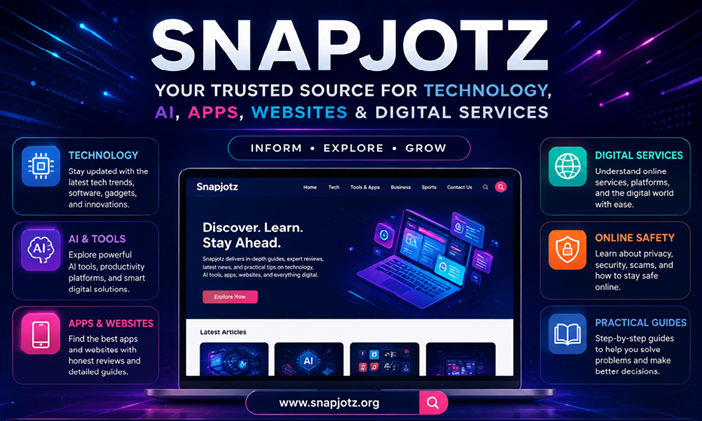
Snapjotz is a growing digital publication focused on technology, artificial intelligence, apps, websites, digital services, business, sports, and practical online information. The goal is not simply to publish more articles. It is to help readers understand what they are seeing, using, and searching for online.
Whether you want to explore a new AI tool, understand an unfamiliar website, discover useful apps, follow technology trends, or learn more about a digital service, Snapjotz aims to make that information easier to understand.
What Is Snapjotz?
Snapjotz is an independent digital-information website covering technology, AI, apps, websites, digital services, and other topics relevant to modern internet users.
The website is designed for readers who want straightforward explanations without unnecessary technical language.
Our coverage can help answer practical questions such as:
- What does a particular website do?
- Is a digital platform worth exploring?
- What features does an app offer?
- How does a new AI tool work?
- What should users know before trying an online service?
- Which technology trends are worth watching?
- How can people use digital tools more effectively?
Instead of treating every topic the same way, Snapjotz focuses on explaining the subject in a way that makes sense to the person searching for it.
Why Was Snapjotz Created?
The internet makes information easy to find, but that does not always make information easy to understand.
A search for a new website may produce dozens of pages. Some may provide useful details. Others may repeat the same information without adding context. In some cases, different websites may even describe the same digital service in completely different ways.
Snapjotz aims to make that research process simpler.
The publication brings different areas of digital life together so readers can explore technology and online services from one place.
The underlying idea is simple:
Useful information should be clear, practical, and easy to understand.
That principle shapes the type of content Snapjotz publishes and the way topics are presented.
What Does Snapjotz Cover?
Snapjotz is built around several connected areas of digital information.
Technology
Technology remains at the heart of Snapjotz.
Readers can explore articles about software, internet services, emerging technologies, digital products, and the tools people use for work, learning, communication, and entertainment.
Technology coverage focuses on practical information rather than technical terminology for its own sake.
A good technology article should help a reader understand what something is, why it matters, and where it fits into everyday digital life.
AI and Artificial Intelligence
Artificial intelligence has become one of the fastest-growing areas of technology.
AI now influences writing, research, image creation, productivity, education, programming, business, and creative work.
Snapjotz covers the expanding AI ecosystem, including:
- AI tools
- AI applications
- Productivity platforms
- Generative AI
- AI-powered websites
- Writing and research tools
- Creative AI
- Emerging AI technologies
The purpose is not to treat every AI product as revolutionary.
Instead, readers should be able to understand what a tool actually offers and decide whether it is relevant to their needs.
Apps and Tools
Apps have become essential parts of everyday life.
People use them to manage projects, communicate with others, organize information, create content, study, work, shop, and entertain themselves.
Snapjotz explores useful apps and digital tools while focusing on the questions users naturally ask.
What does the app do?
Who is it designed for?
What makes it different?
What should someone know before using it?
These practical questions are often more valuable than a long list of marketing features.
Websites and Online Platforms
The internet contains millions of websites, and not every website is easy to understand at first glance.
Snapjotz publishes guides that help readers explore unfamiliar websites, online platforms, and digital services.
This type of coverage may include:
- Website explanations
- Platform overviews
- Feature guides
- Digital service information
- Website comparisons
- User-focused reviews
- Online safety considerations
When information about a website is unclear or inconsistent, readers should have enough context to investigate further instead of relying on assumptions.
What Is Snapjotz Com?
One search term that has attracted attention is “snapjotz com.”
The phrase refers to the Snapjotz.com domain, but information surrounding that domain can be confusing because different websites and online references have described the Snapjotz name in different ways.
Some descriptions associate the name with digital productivity or note-taking, while other references discuss a broader publishing website.
That is exactly why domain research requires attention to detail.
A website name alone does not establish what a service currently offers. Readers should always check the exact domain, current website, available features, ownership information where available, and the date of the information they are reading.
Snapjotz.org approaches this subject from an independent information perspective. Our goal is to help readers understand the information surrounding the Snapjotz name rather than create unnecessary confusion.
Why Online Information Can Be Confusing
Digital services change quickly.
A website can change its design, business model, content strategy, ownership, or available features. An article published months earlier may describe a service differently from what visitors see today.
Similar domain names can create another problem.
Two websites may use nearly identical names while offering completely different services. A reader who does not check the exact domain can easily assume they are connected.
That is why responsible online research should include a few basic checks:
- Verify the exact domain.
- Check the website’s current content.
- Look for clear ownership information.
- Review the About and Contact pages.
- Check when an article was published.
- Look for primary or official sources.
- Treat unsupported claims carefully.
These habits can make online research much more reliable.
Snapjotz for Everyday Internet Users
Snapjotz is not designed only for technology professionals.
The website is also intended for everyday readers who simply want to understand the digital services they encounter.
Students
Students can explore technology, AI, productivity tools, apps, and online services that may support learning and organization.
Professionals
Professionals can discover software, digital tools, AI solutions, and technology trends relevant to modern work.
Entrepreneurs
Business owners and entrepreneurs can research online platforms, digital services, emerging technologies, and tools that may support their operations.
Creators
Content creators can explore AI applications, creative tools, websites, productivity solutions, and emerging digital trends.
Everyday Users
Anyone who uses the internet can benefit from straightforward explanations of unfamiliar websites, apps, platforms, and digital services.
Our Approach to Digital Information
Snapjotz aims to keep its content useful without making it unnecessarily complicated.
That means explaining unfamiliar subjects in plain language and organizing longer topics into clear sections.
When a subject requires additional research, readers should be encouraged to verify important information through authoritative sources.
This matters especially for topics involving:
- Financial decisions
- Health
- Privacy
- Cybersecurity
- Legal matters
- Personal data
- Online payments
A general technology publication can help readers understand a topic, but high-stakes decisions deserve information from appropriate primary and professional sources.
Why Clear Information Matters
A search result is only the beginning of research.
Someone searching for an AI tool may need to know whether it fits their workflow. A person researching an unfamiliar website may want to understand what the platform does. Someone considering an app may need to know whether it offers the features they actually need.
The best digital content does more than repeat a product description.
It provides context.
That is the role Snapjotz aims to play.
Instead of simply asking, “What does this website say about itself?”, readers should also be able to ask:
“What does this information mean for me?”
That difference can turn a basic article into a genuinely useful resource.
Explore the Snapjotz Categories
Snapjotz brings several areas of digital and general-interest content together.
Tech
Explore technology news, software, digital innovations, and useful technology information.
Tools & Apps
Discover applications, online tools, productivity platforms, and digital solutions.
Business
Explore business-related topics, digital business tools, financial concepts, and online opportunities.
Sports
Follow selected sports-related stories and digital sports information.
Digital Guides
Find practical explanations designed to make unfamiliar online topics easier to understand.
As Snapjotz grows, these areas can expand while maintaining a clear focus on useful information.
What You Can Expect From Snapjotz
Readers should expect content that is:
Clear — Information should be understandable without unnecessary jargon.
Practical — Articles should answer real questions.
Relevant — Topics should reflect what people are actually searching for and using.
Transparent — Uncertainty should not be presented as fact.
Useful — Every section should give readers a reason to keep reading.
Accessible — Content should work for both experienced technology users and people who are less familiar with a subject.
The goal is to build a website people can return to when they encounter something unfamiliar online.
The Future of Snapjotz
Technology will continue to change.
Artificial intelligence will evolve. New applications will appear. Websites will launch and disappear. Digital services will introduce new features. The way people search for and consume information will continue to shift.
Snapjotz is being built to grow alongside that changing environment.
The long-term vision is not simply to publish more pages. It is to create a recognizable digital brand that readers associate with useful explanations about technology, AI, apps, websites, and online services.
That means focusing on quality rather than publishing for the sake of volume.
It also means listening to what readers need and updating information when important details change.
Frequently Asked Questions
What is Snapjotz?
Snapjotz is an independent digital-information website covering technology, AI, apps, websites, digital services, business, sports, and practical online topics.
What is Snapjotz com?
Snapjotz com refers to the Snapjotz.com domain. Information about that domain varies across online sources, so readers should verify the exact website and current information before relying on specific claims.
Is Snapjotz a technology website?
Yes. Technology is one of the core areas of Snapjotz, alongside AI, apps, websites, digital services, and practical online guides.
Does Snapjotz cover AI tools?
Yes. AI tools, applications, productivity solutions, and emerging artificial intelligence technologies are important areas of coverage.
Does Snapjotz review websites and apps?
Snapjotz publishes informational content about websites, apps, tools, and digital platforms, including explanations, guides, comparisons, and user-focused information.
Who is Snapjotz for?
Snapjotz is designed for students, professionals, entrepreneurs, creators, technology enthusiasts, and everyday internet users.
Why does Snapjotz cover different topics?
Many aspects of modern life now depend on digital technology. Snapjotz connects related subjects such as technology, AI, apps, websites, digital services, business, and online information.
How does Snapjotz approach online information?
The goal is to provide clear and useful explanations while encouraging readers to verify important or high-stakes information through authoritative sources.
Final Thoughts
Snapjotz is built around a simple idea: the internet should be easier to understand.
From AI tools and mobile applications to websites, software, digital services, and emerging technologies, there is always something new to learn.
Snapjotz aims to help readers make sense of that changing landscape without unnecessary complexity.
If you are researching a new technology, exploring an unfamiliar website, comparing digital tools, or simply trying to understand what is happening online, Snapjotz is designed to be a useful place to start.